Self-hosted streaming

Your own personal streaming service.

NotPlex turns your PC, NAS, or home server into a private streaming platform for your movies, shows, and live TV. No subscriptions. No cloud. Just your media, on your terms.
No subscriptions Your hardware Your media
notplex.app/player
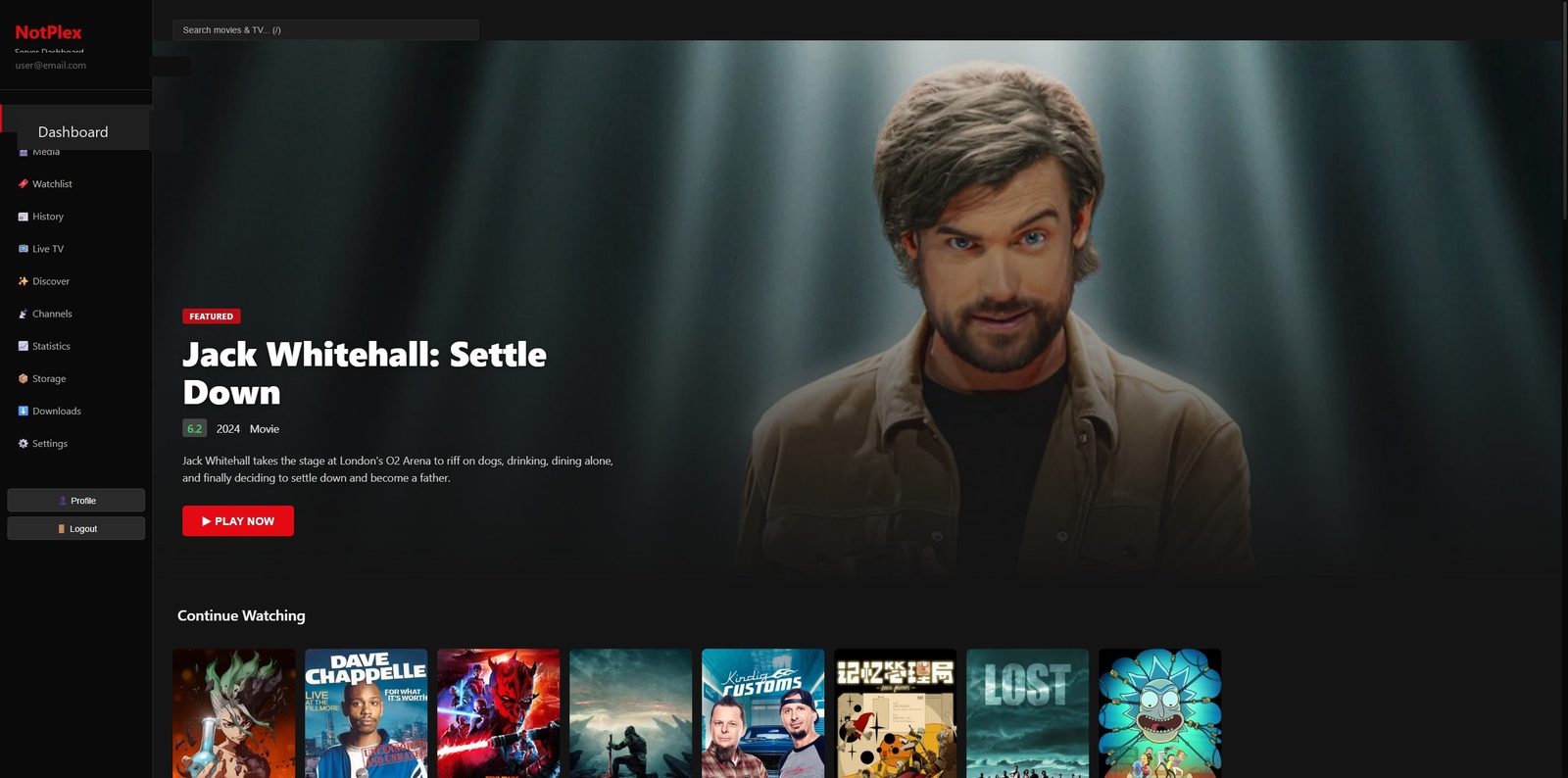
NotPlex web player on desktop — dashboard with featured title and Continue Watching row
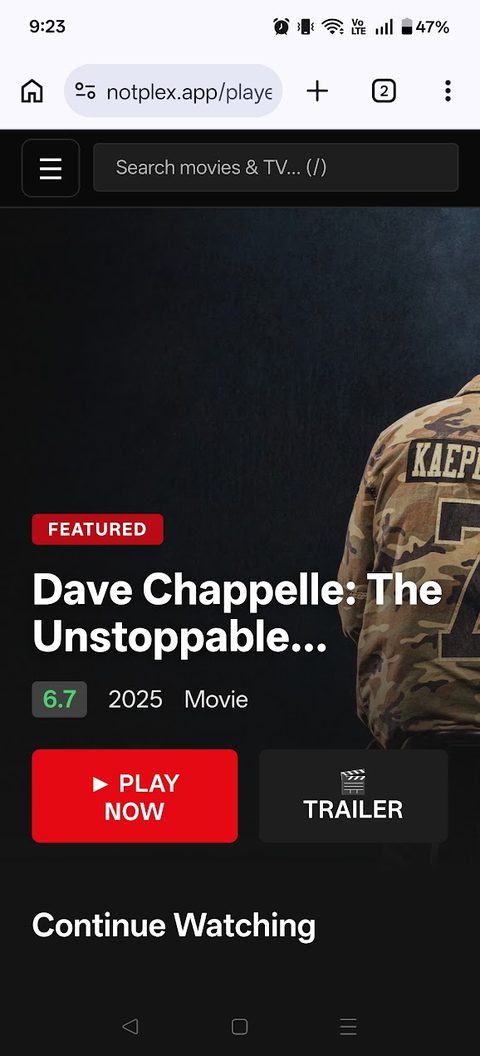
NotPlex web player on a phone
How it works

One server. Every screen.

🗄️ Your Server

PC, NAS, or any machine running NotPlex — your media files live here

NotPlex

Your private streaming platform

📺 Every Screen

TVs, laptops, tablets, phones — at home or anywhere

Video streams directly from your server to your screens — never through the cloud.

1

A server owner runs NotPlex on their PC and signs in — the server registers itself with notplex.app.

2

You sign in on any device — TV app or web player — and every server you own or that's shared with you appears automatically.

3

Press play. Watch progress, subtitles, and “continue watching” follow you between devices.

Built for your media

Your collection, presented like a real streaming platform

Posters, metadata, watch progress, and everything you need to enjoy your media the right way.

🗄️

Host your library

Point NotPlex at your media folders. It scans your files, fetches artwork and metadata automatically, and serves them from your own hardware — a spare PC or NAS is plenty.

📺

Stream anywhere

A native app for Fire TV and Google TV, plus a web player that runs in any browser. Watch on any device, anywhere — your media follows you.

👪

Share with family

Invite people by email. They create a free account, and your server shows up on their devices automatically — no port juggling, no config files.

See the full feature list →

🔒
Ownership. Privacy. Freedom.

Your library belongs to you.

No subscriptions. No cloud lock-in. No handing over your data. NotPlex keeps everything in your home, under your control — notplex.app only handles accounts and introductions.

No subscriptions No cloud dependency Complete control
Get started

Two ways in

Most people are invited to someone's server. Hosting your own takes more setup — but it's your hardware and your rules.

The easy way

I got an invite 🎟️

  1. Create an account using the same email address the server owner invited.
  2. Watch in the browser — sign in and open the web player; the shared server is already there.
  3. Or install the TV app (below) and sign in on your Fire TV or Google TV.
Create your account Full guide
The powerful way

I want to host my own server 🛠️

  1. Create an account — this becomes your server's admin login.
  2. Install the NotPlex server on an always-on PC and sign in — it registers itself to your account.
  3. Add your media folders, invite family by email, done.
📖 Read the setup guide
On your TV

Install the TV app

The app updates itself automatically after install — you only do this once.

🔥 Fire TV

Install the Downloader app from the Amazon Appstore (enable "apps from unknown sources" for it in Settings → My Fire TV → Developer Options), then enter this URL:

notplex.app/static/builds/notplex.apk

📺 Google TV / Android TV

Use any sideload app (e.g. "Downloader by AFTVnews" from the Play Store) with the same URL — or grab the APK directly on a phone or PC:

Download notplex.apk

No TV handy? The web player works in any browser — nothing to install.

FAQ

Common questions

No. If someone invited you to their server, you just need a free account — their libraries appear on your devices automatically. You only run a server if you want to host your own media.
Yes. NotPlex is a personal, self-hosted project — there are no fees, no subscriptions, and no ads. You (or the friend hosting your server) provide the hardware and the media.
Whatever is in the library of the server you're connected to — movies, TV shows, and optionally live TV channels. NotPlex doesn't come with content; it streams the server owner's collection.
Yes. Your devices connect to the server over the internet wherever you are. On the server's home network, video takes a direct local path for full quality.
Fire TV and Google TV / Android TV via the native app, and any modern browser (computer, phone, tablet) via the web player.
Free remote streaming, no ads or promoted content, no paid tiers — and the convenience of hosted accounts without a company between you and your media. See the full comparison.
Video streams directly between your device and the media server — it never passes through notplex.app's storage. The notplex.app service only manages accounts and tells your devices which servers you can access.

Start building your personal streaming service.

Turn your media library into a beautiful, Netflix-style experience that you own and control.

Get Started Learn how it works